


When it comes to reconnaissance in cybersecurity, one principle always stands true: you can’t hack what you can’t find.
Subdomains are often overlooked assets — sometimes old staging servers, forgotten admin panels, or third-party integrations — but for attackers, they’re gold mines. Discovering these subdomains early gives bug hunters and pentesters a wider attack surface, and for defenders, it provides visibility into what needs securing.
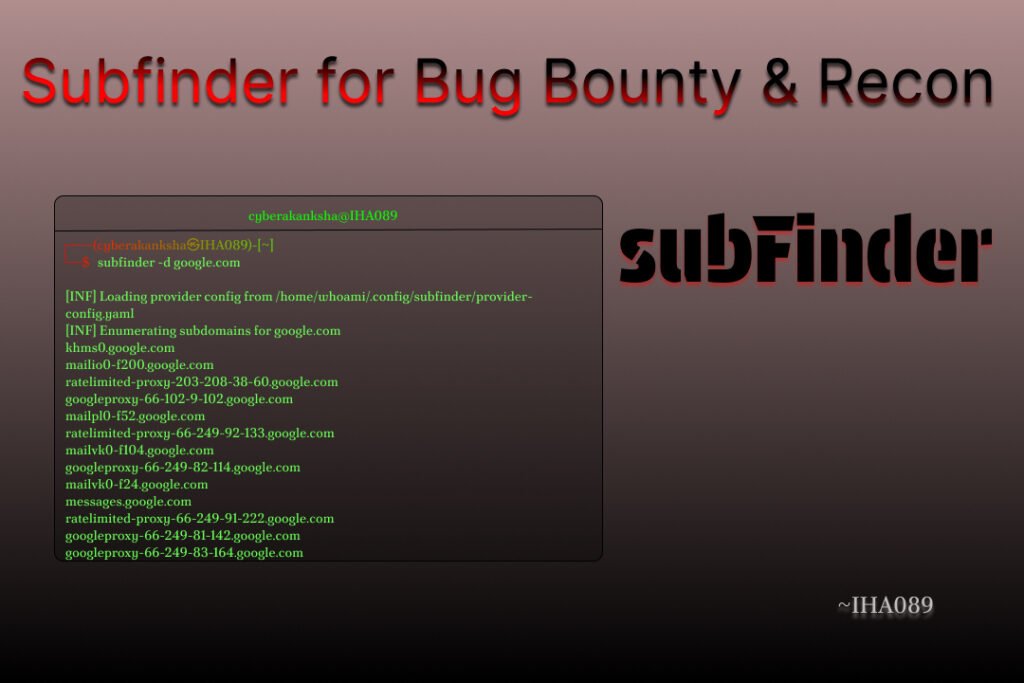
Table of Contents
What is Subfinder?
Subfinder is an open-source subdomain discovery tool developed by ProjectDiscovery, the same team behind other widely-used security tools like Nuclei and httpx.
It is designed to:
- Find subdomains quickly using passive sources (without sending suspicious traffic).
- Be fast and reliable, thanks to Golang implementation.
- Integrate easily into automation pipelines for recon workflows.
Why Subfinder?
They’re slow and often miss key assets. Subfinder takes a different approach:
- Passive enumeration first: Pulls from online sources like crt.sh, VirusTotal, Censys, and more.
- API-based discovery: If you configure API keys, it digs deeper with far more results.
- Blazing speed: Written in Go, optimized for performance.
- Integration ready: Works beautifully with httpx, Nuclei, and other recon tools.
For bug hunters, it’s a no-brainer — Subfinder helps uncover targets quickly without triggering alarms on the client’s infrastructure.
Installing Subfinder
Linux
For Debian/Ubuntu:
sudo apt-get update && sudo apt-get install subfinderOn other Linux Distro:
Download the latest binary from Releases and install it using the package manager.
macOS
Install Homebrew package manager from brew.sh.
After that run the following command to install subfinder:
brew install subfinderWindows
Download the latest binary from Releases.
Extract and add the path to System Environment Variables.
Run in PowerShell:
subfinder.exe -hDocker
docker run -it projectdiscovery/subfinder -d example.comSubfinder Basic Usage
Basic Enumeration
subfinder -d example.comThis command searches for all the subdomains related to example.com using Subfinder’s passive sources. It’s the most basic and commonly used way to start enumeration.
Save Output to a File
subfinder -d example.com -o subs.txtInstead of only showing results in the terminal, this saves all discovered subdomains into subs.txt. Useful for later analysis or chaining with other tools.
Multiple Domains
subfinder -dL domains.txt -o results.txtIf you have a list of domains in domains.txt, this runs Subfinder on each one automatically and stores the results in results.txt. Saves you from running the command one by one.
Silent Mode (Clean Output)
subfinder -d example.com -silentThis hides banners, extra text, and logs—showing only the raw subdomain list. Perfect when you want a clean output for scripting or chaining with other tools.
Advanced Commands You Need to Know
Fast Scanning
subfinder -d example.com -t 100 -o fastscan.txtThe -t flag controls how many threads run at the same time. Higher threads = faster scans, but be careful since too many can hit API rate limits or block you.
Filter Only Active Subdomains (with httpx)
subfinder -d example.com -silent | httpx -silent -o live.txtThis first finds subdomains with Subfinder, then checks which ones are actually live using httpx. The result is a clean list of working subdomains.
JSON Output (For Automation)
subfinder -d example.com -json -o subs.jsonInstead of plain text, this gives results in JSON format, which is great for automation pipelines, custom scripts, or integration with other tools.
Include / Exclude Specific Sources
# Exclude noisy sources
subfinder -d example.com -exclude-sources crtsh,archiveis

# Only use specific sources
subfinder -d example.com -sources virustotal,shodan
Subfinder pulls from many sources. You can exclude sources that give too many false positives, or focus on specific ones like Shodan or VirusTotal to refine your results.
Recursion Mode (Find Deeper Subdomains)
subfinder -d example.com -recursive -o deep.txtThis digs one level deeper. If Subfinder finds app.example.com, it will also check if there are more subdomains under that. Super useful for finding hidden assets.
Use Config File with API Keys
# Path: ~/.config/subfinder/config.yaml
sources:
  - crtsh
  - shodan
  - virustotal
  - securitytrails
  - censys
By adding API keys in Subfinder’s config, you unlock way more results from premium sources. Running with -all ensures every configured source is used.
subfinder -d example.com -all -o apikey_results.txtIf you’re serious about bug bounty, setting up API keys is a must. This can multiply your results significantly.
Find Subdomains and Resolve to IPs (with dnsx)
subfinder -d example.com -silent | dnsx -a -resp-onlyThis not only finds subdomains but also resolves them to their IP addresses using dnsx. Helpful when you want to map assets to their servers.
Find Live Subdomains with httpx
subfinder -d example.com -silent | httpx -tech-detect -status-code -titleHere you discover not just subdomains but also what technologies they use (like Nginx, Apache, React, etc.), along with HTTP status codes and page titles. Perfect for fingerprinting targets.
Passive + Bruteforce Hybrid
subfinder -d example.com -silent | dnsx -r resolvers.txt -w wordlist.txtSubfinder is mostly passive, but when combined with brute force (via dnsx or massdns), you can catch subdomains that aren’t available in passive sources.
Automate with Time-based Enumeration (CI/CD or Daily Scans)
0 6 * * * subfinder -d example.com -silent -o $(date +\%F)-subs.txtThis sets up a cron job that runs every morning at 6 AM, saving results with today’s date in the filename. Great for continuous monitoring of targets.
Screenshot All Live Hosts
subfinder -d example.com -silent | httpx -silent | aquatone -out screenshotsThis command first finds all subdomains of example.com using Subfinder, checks which ones are alive with httpx, and finally takes automated screenshots of the active hosts using Aquatone for visual inspection.
Subfinder + Nuclei Workflow
subfinder -d example.com -silent | httpx -silent | nuclei -t cves/ -o vulns.txtHere, Subfinder discovers subdomains, httpx verifies which are online, and then Nuclei scans them for known vulnerabilities (CVEs) using its template library, saving the results into vulns.txt.
Subfinder in a Real Bug Bounty Workflow
Here’s how I’d typically use Subfinder during recon:
# Step 1: Collect all subdomains
subfinder -d target.com -silent -o subs.txt

# Step 2: Probe for live hosts
cat subs.txt | httpx -silent -o live.txt

# Step 3: Take screenshots
cat live.txt | aquatone -out screenshots

# Step 4: Scan with Nuclei
cat live.txt | nuclei -t cves/ -o vulnerabilities.txt
Best Practices
- Always set up API keys in config for maximum results.
- Run regularly — new subdomains appear all the time.
- Chain with httpx, dnsx, and nuclei for deeper recon.
- Use recursion mode to uncover hidden sub-subdomains.
- Automate with cronjobs or CI pipelines.
Subfinder isn’t just “another recon tool” — it’s a foundational building block for modern bug bounty hunting and penetration testing. Its ability to quickly discover subdomains, integrate with other tools, and scale in automation pipelines makes it one of the most valuable assets in your toolkit.
Seeker: A Powerful Tool for Location Tracking and Device Info Gathering